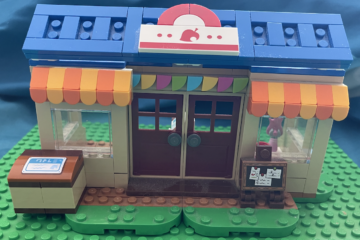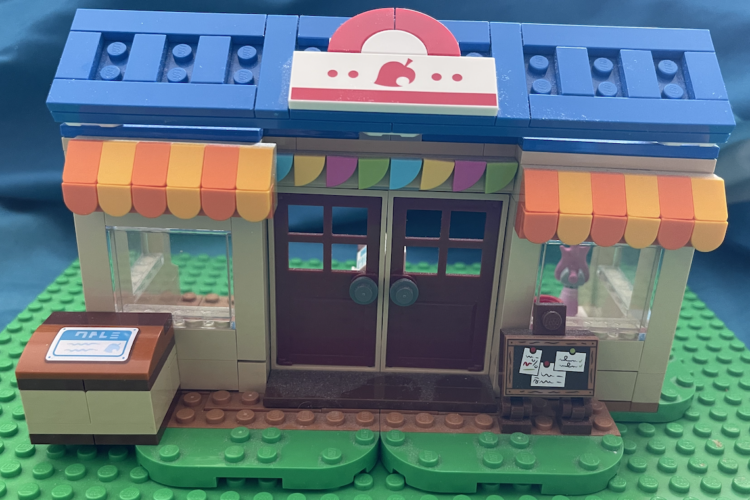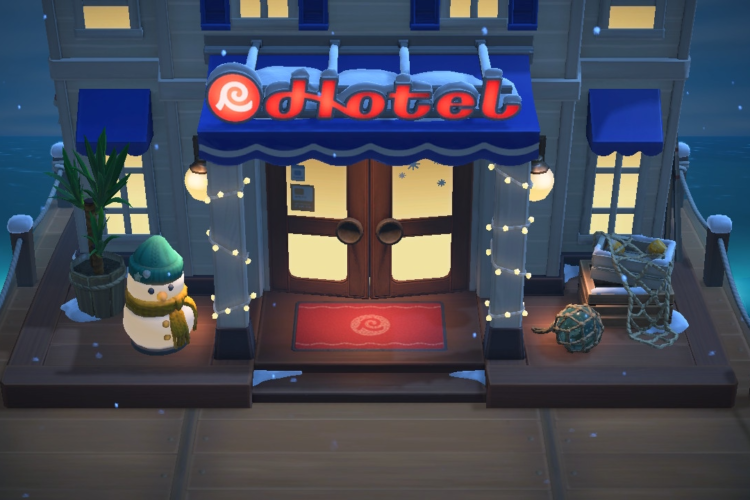

How to make the Animal Crossing LEGO arcade game IRL
First of all, a big hat-tip to the folks at Bricklink, who in conjunction with the LEGO group created Bricklink Studio (and who I learned just today is owned by LEGO).
I tried asking AI to try to reverse-engineer each of the Animal Crossing in-game objects, and all of them were laughably wrong. And so I painstakingly tried and tried and tried until I get it just right. Score one for the humans.
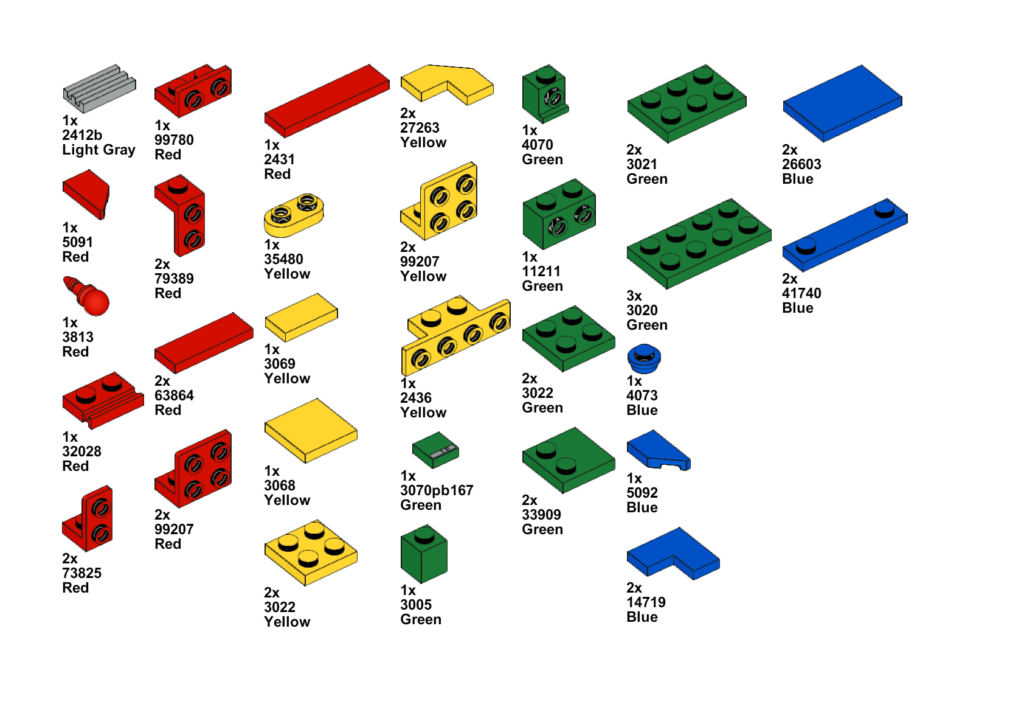
You’ll need the following parts, which you can dig up in your LEGO collection. If you’re missing any pieces, you can always buy individual pieces using Pick a Brick on LEGO.com.
I’m providing this at no charge, and you’re free to share with others. I only ask that you please tell them you saw it on animalcrossingIRL.com!
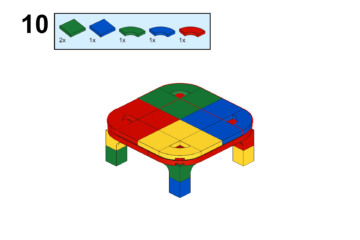
I generated these instructions and the parts list using Bricklink Studio. I noticed there are some cases where they get the part number wrong, so be sure to double-check if you’re buying it on Pick a Brick.


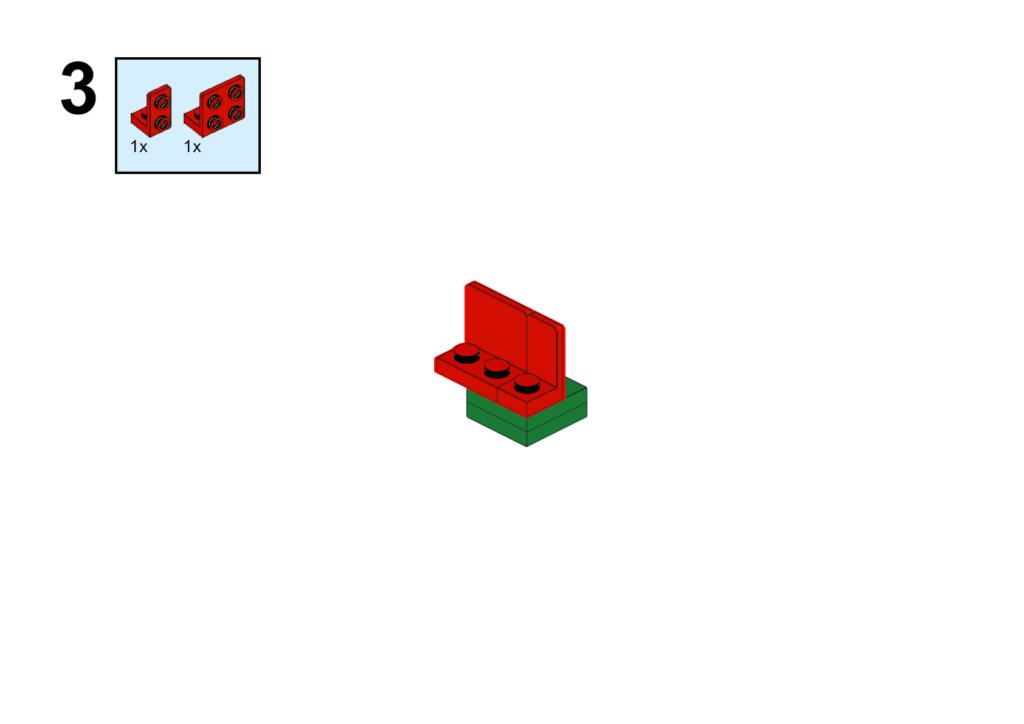
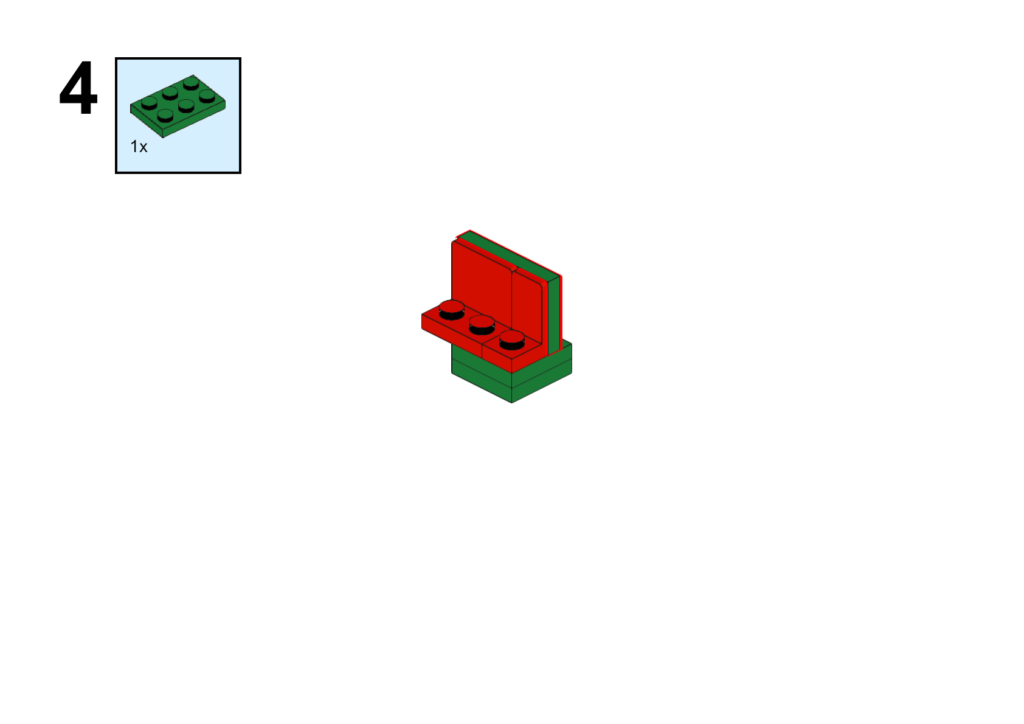
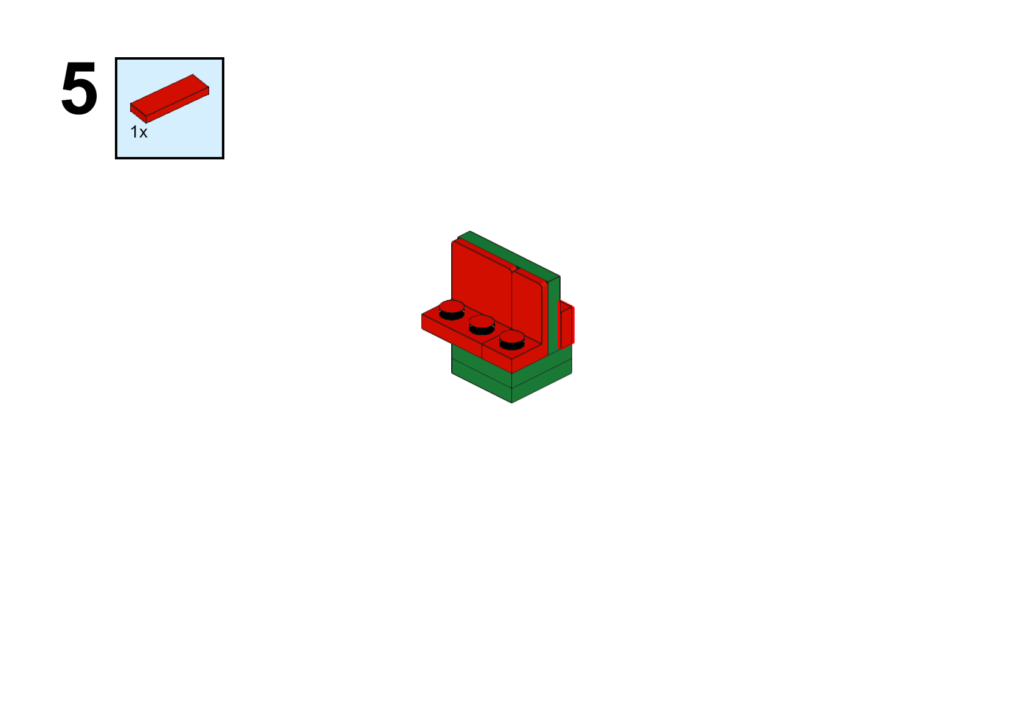
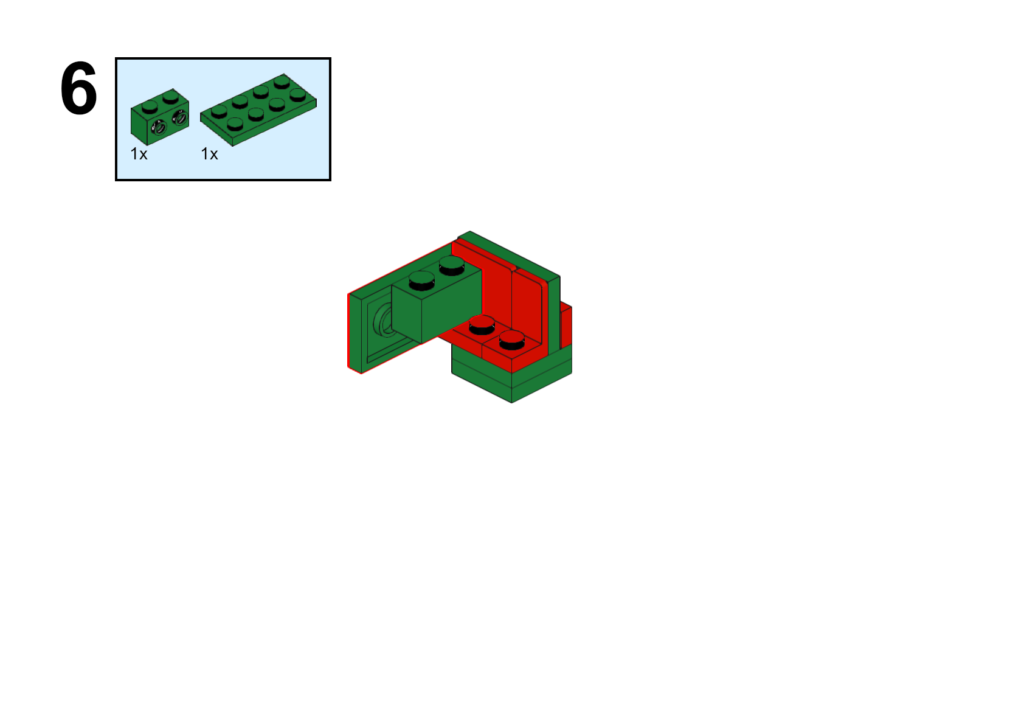
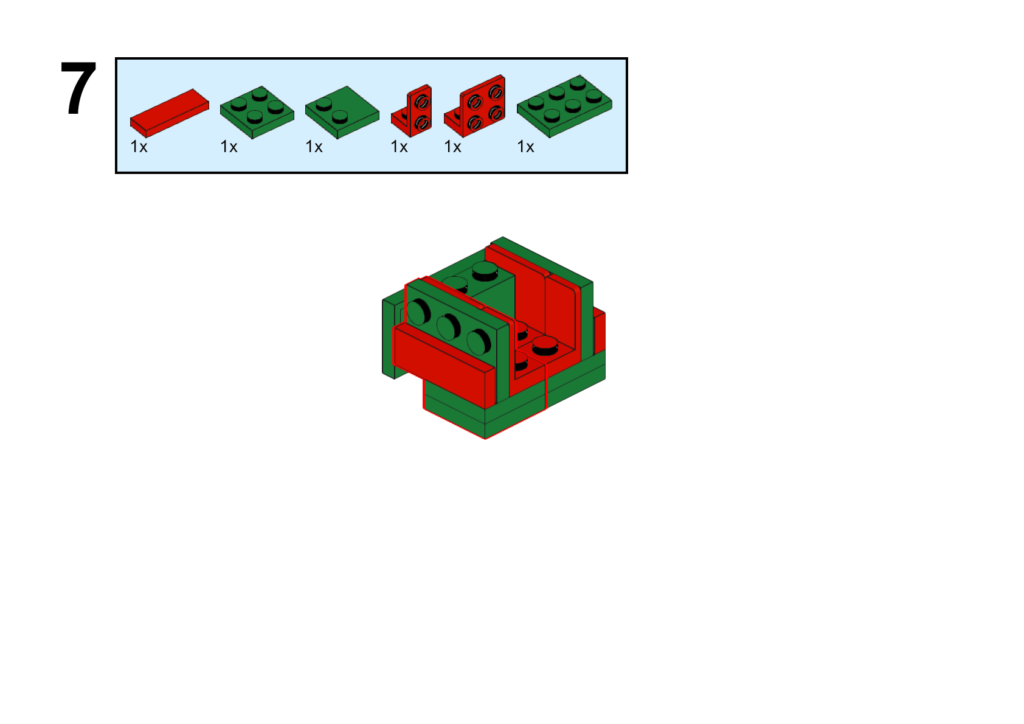
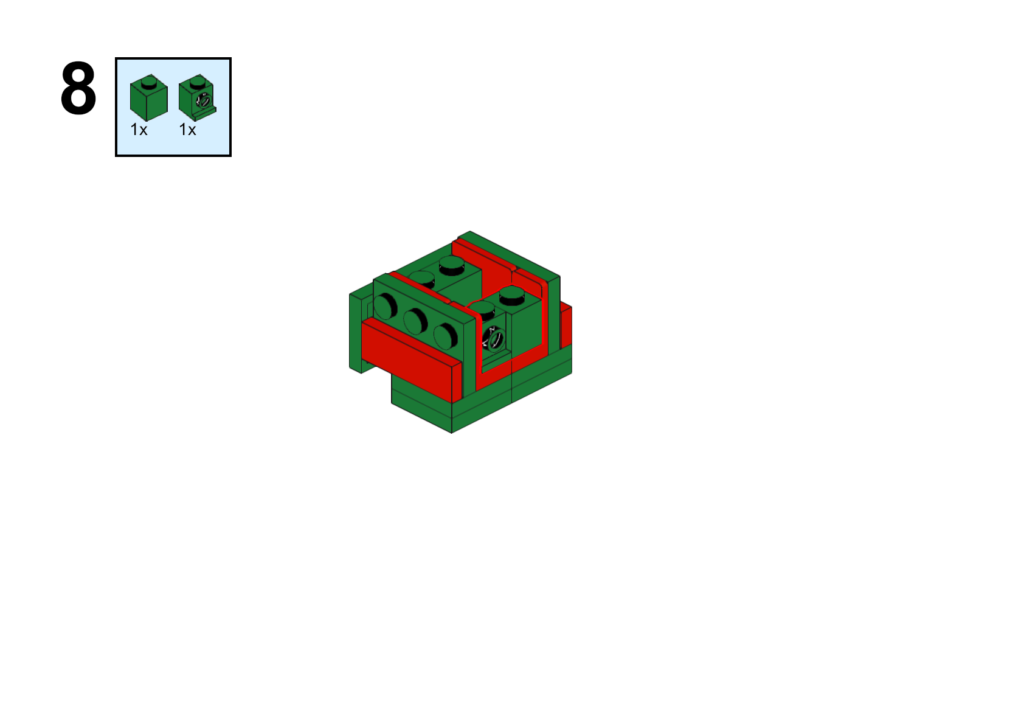
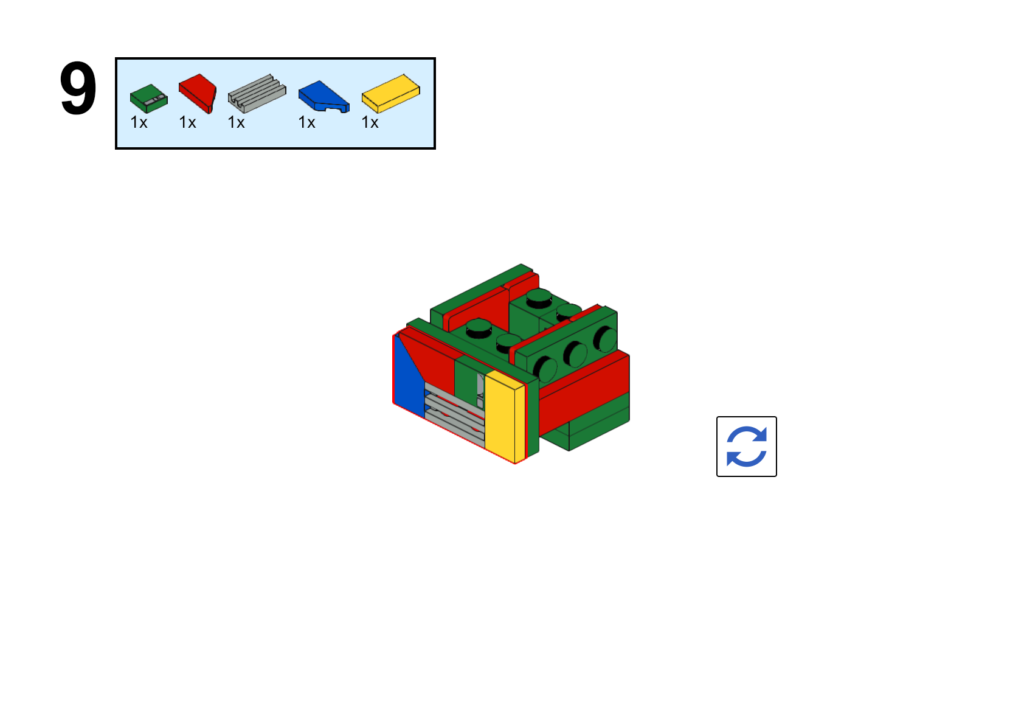
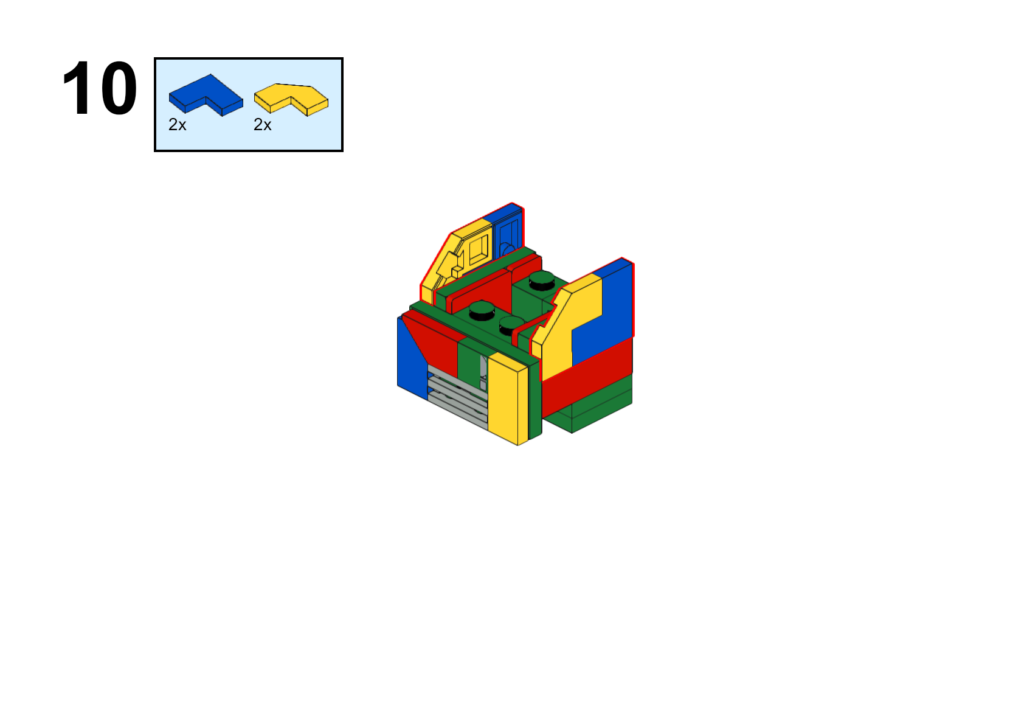
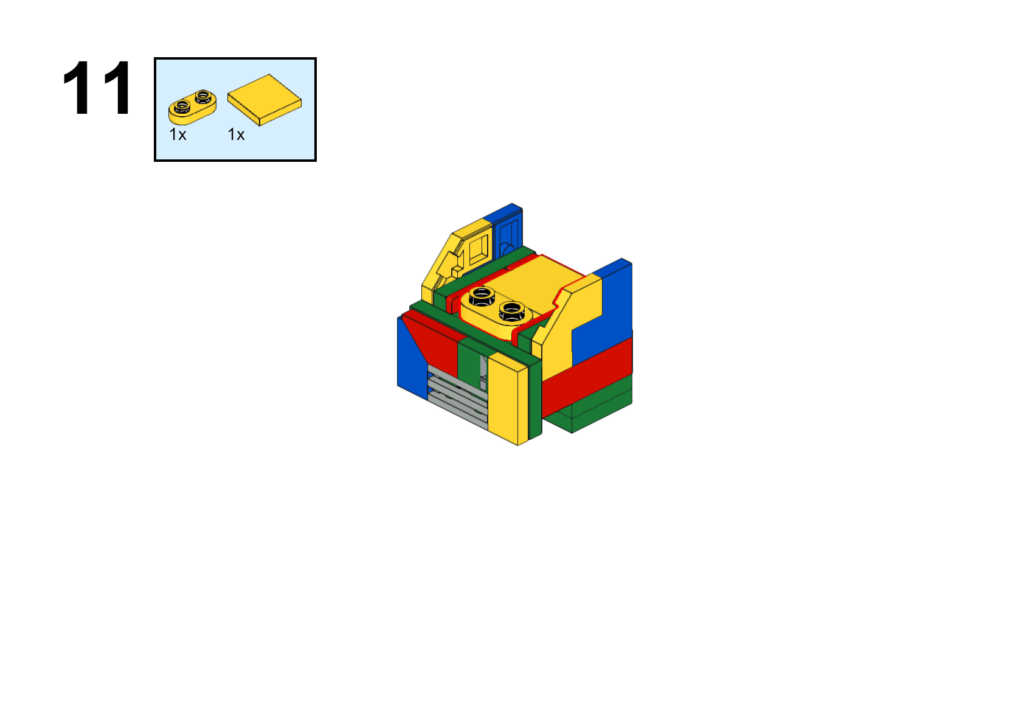
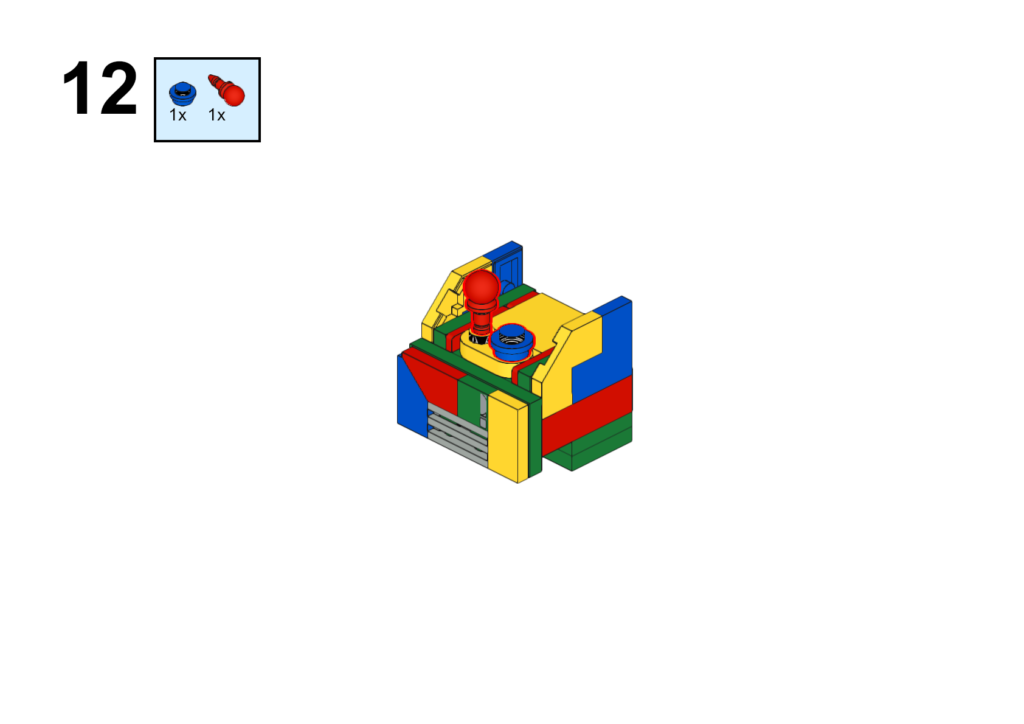
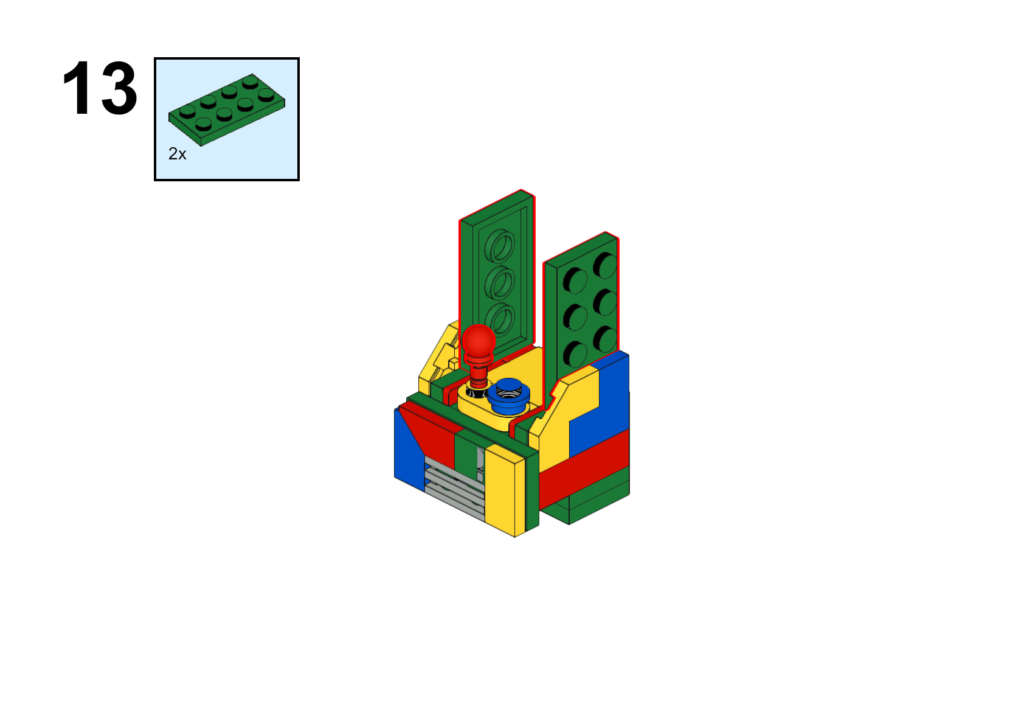
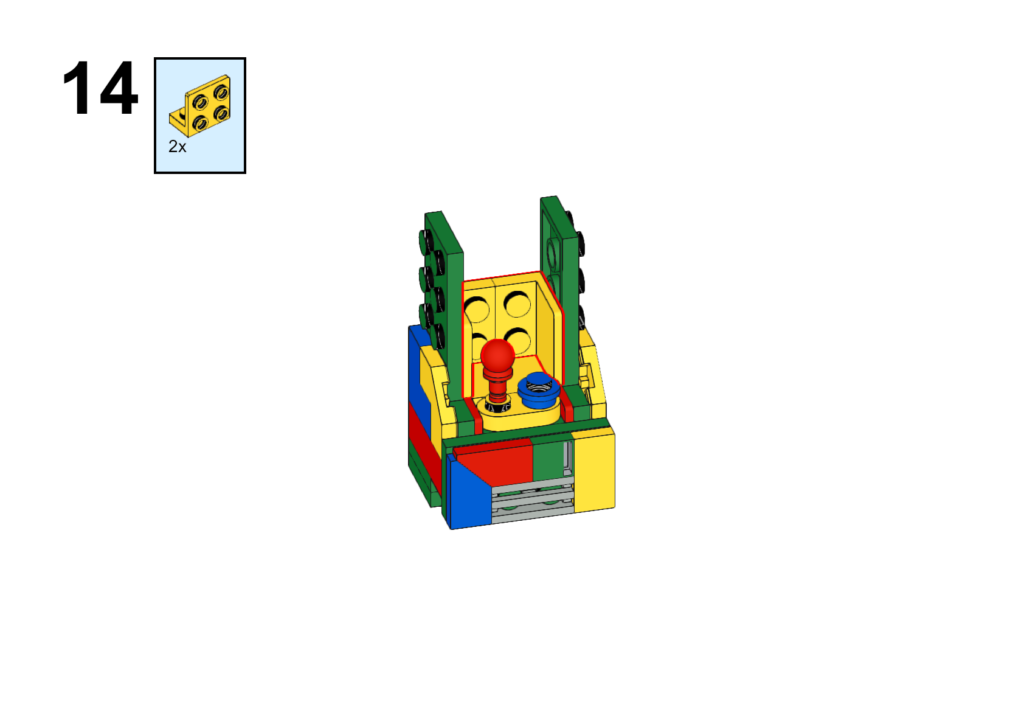
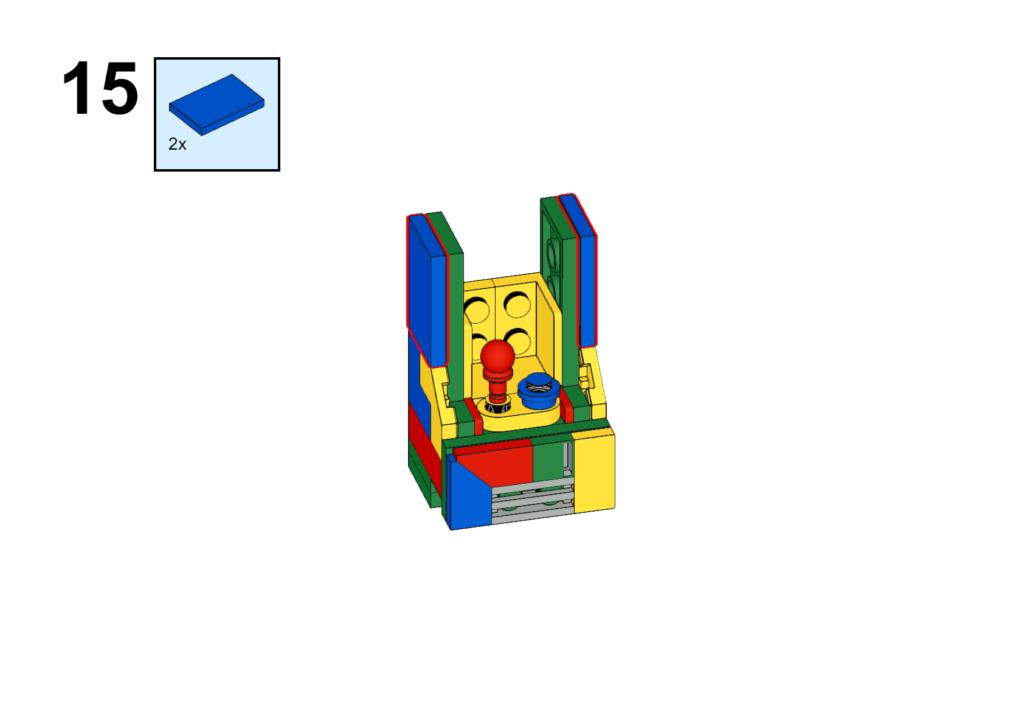
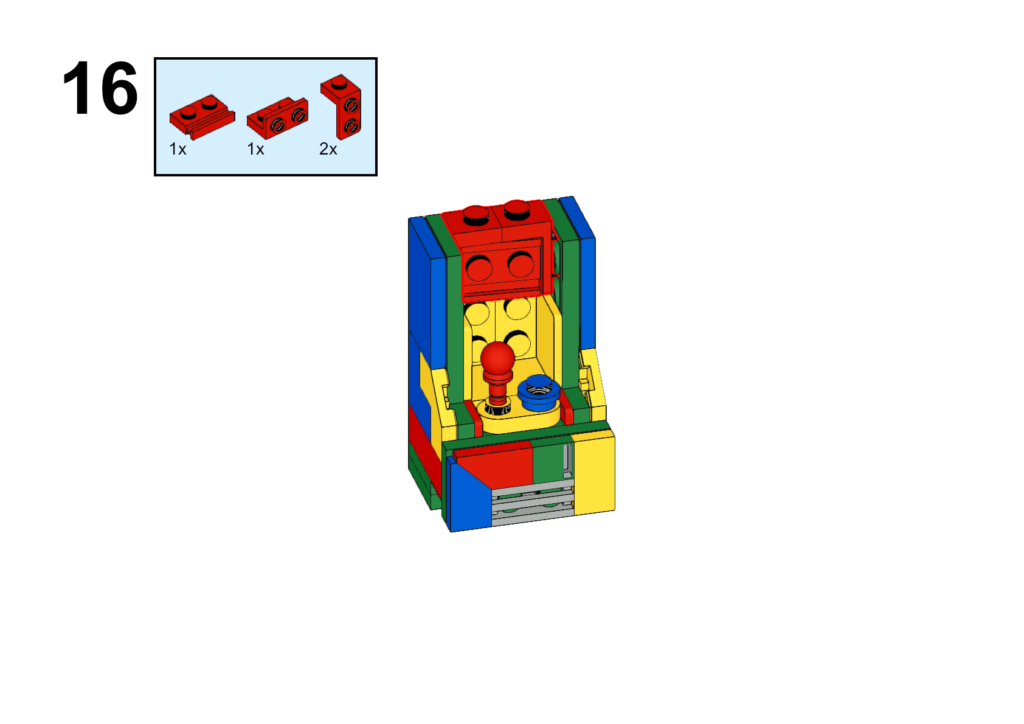
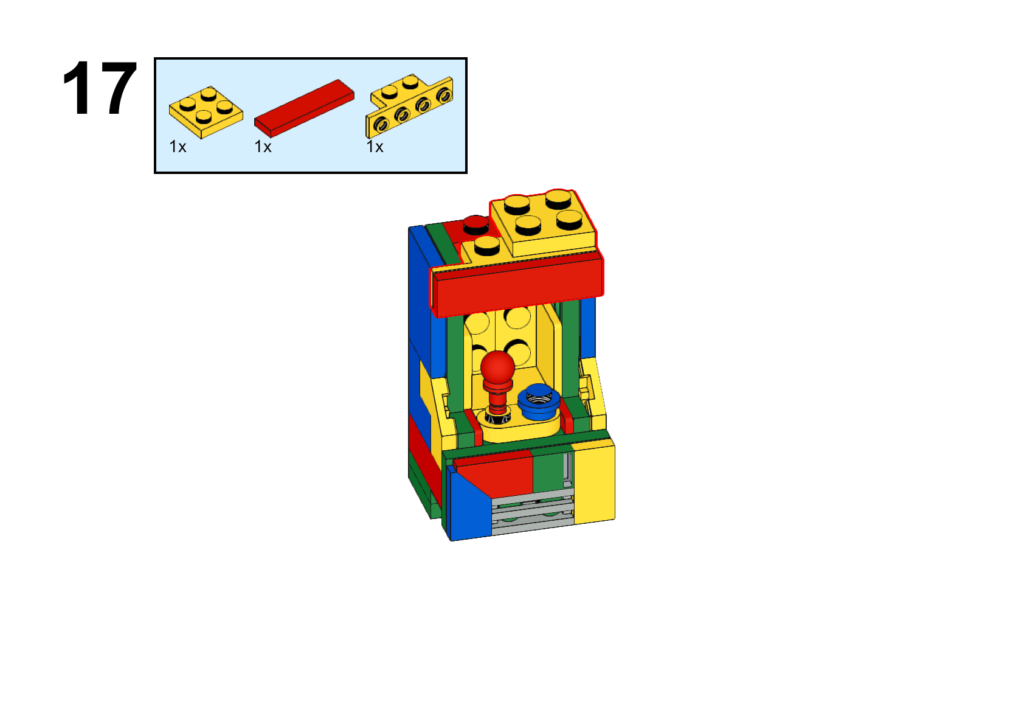
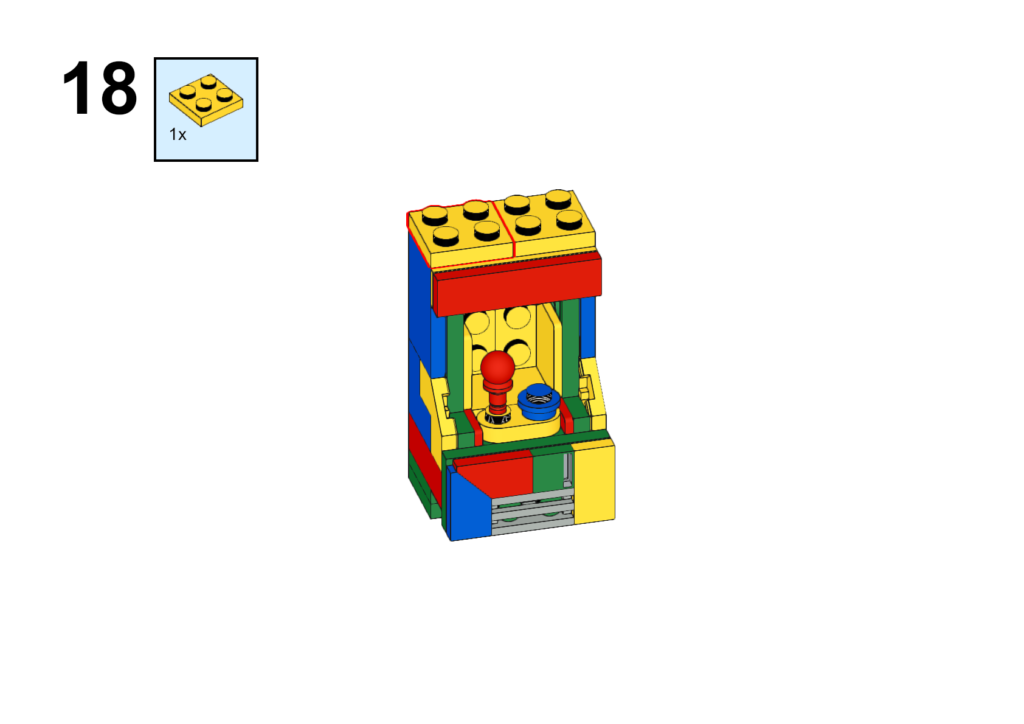
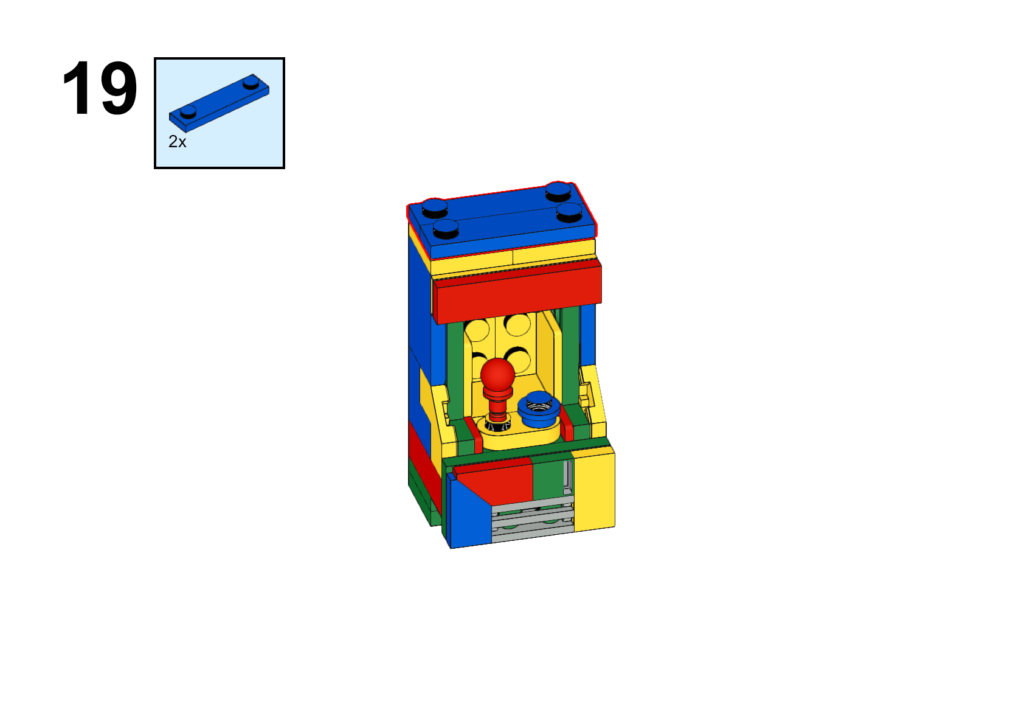
The only part missing is the display. My suggestion is to take a screen capture of your favorite arcade game (or if you’re going for authenticity, take a screen grab of the “Space Blaster” screen in Animal Crossing), print it out on card stock, and drop it in.